A clearer view of each client
Contacts, activity history and documents give your team the context to respond without searching across several tools.

PXS CRM · Your business, connected
Your client, their message, your quote and the next step — together at last. PXS CRM is a modular business management system tailored to your workflows, team and brand.
Built and used every day at PixelShark.
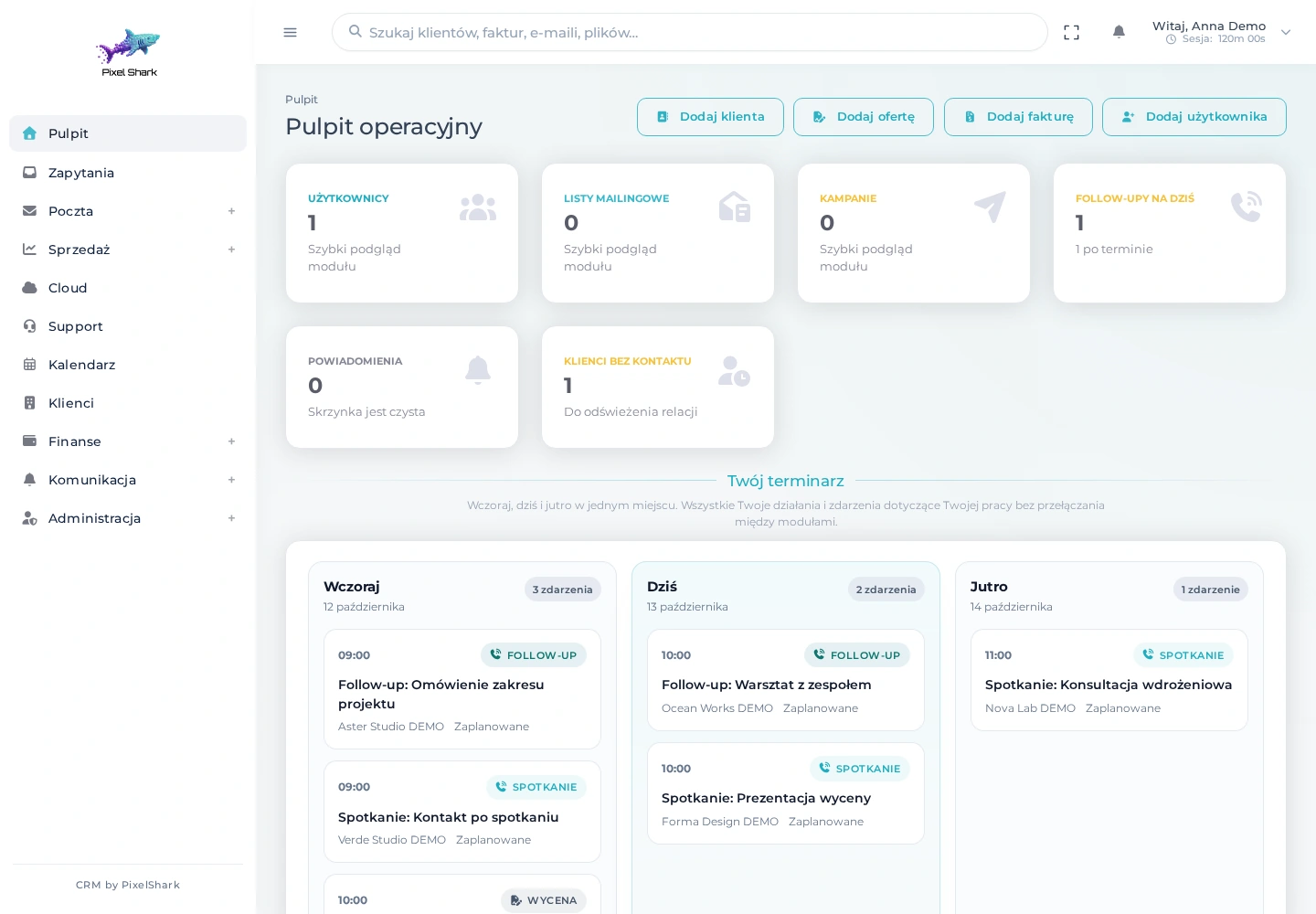
Less searching. More context.
CRM software should help you manage customer relationships and hand work between people. PXS CRM brings together contact details, correspondence, quotes, documents and deadlines so your team can see what has happened and what needs attention next.
Contacts, activity history and documents give your team the context to respond without searching across several tools.
From the first enquiry through a quote to invoicing and support, with clear statuses and responsibilities.
We select modules, roles and integrations for your business. The scope can grow as your needs change.
Take a look inside
Explore the real screens of our CRM, from retrieving company details from CEIDG or KRS to quotes, proformas and issuing invoices through KSeF. Choose a module and browse its screenshots to discover each workflow.
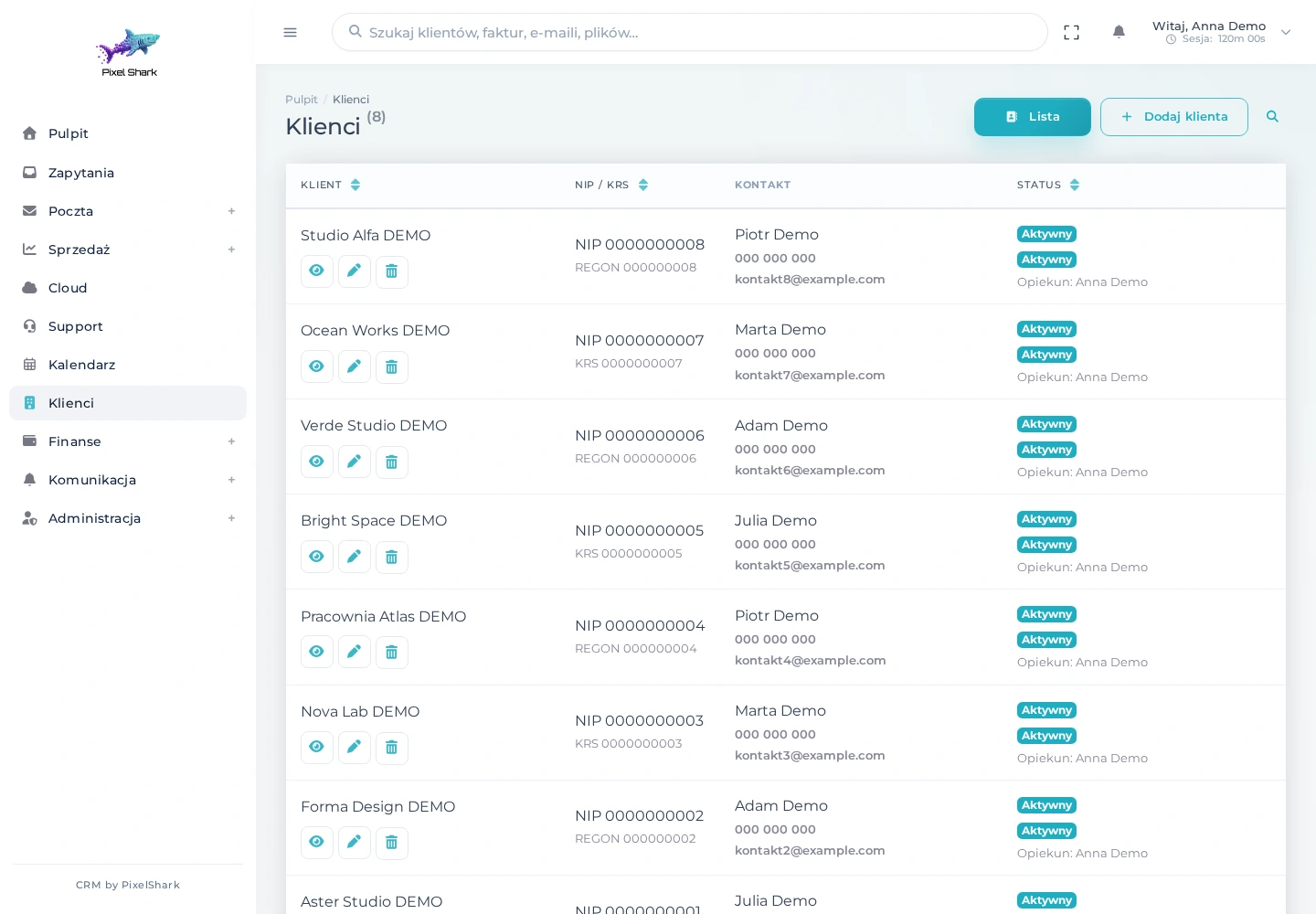
Companies, contacts and account managers in one list. Search helps you return to the right relationship.
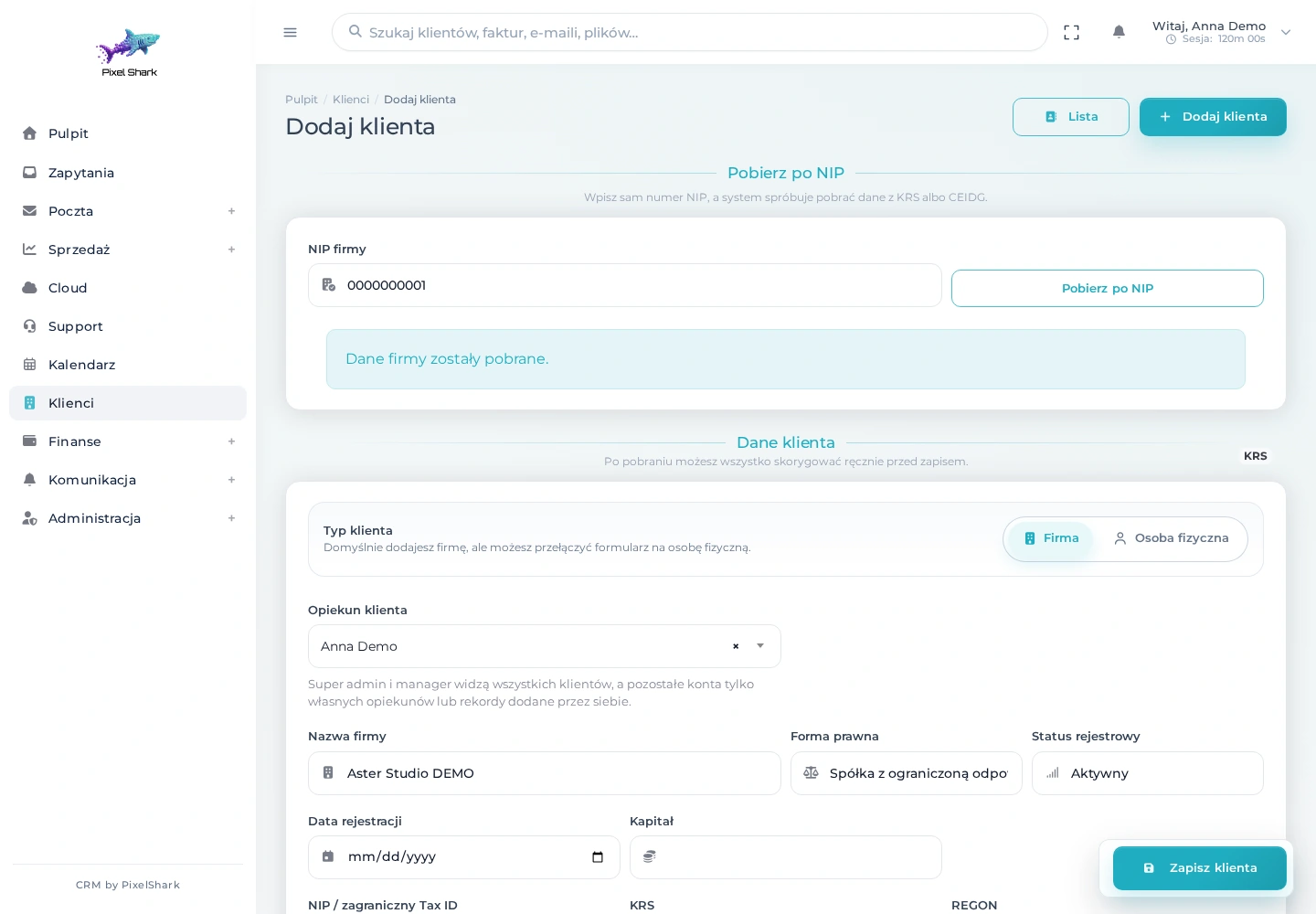
Enter a Polish tax ID (NIP) to retrieve registry details. Review and edit the populated company form before saving.
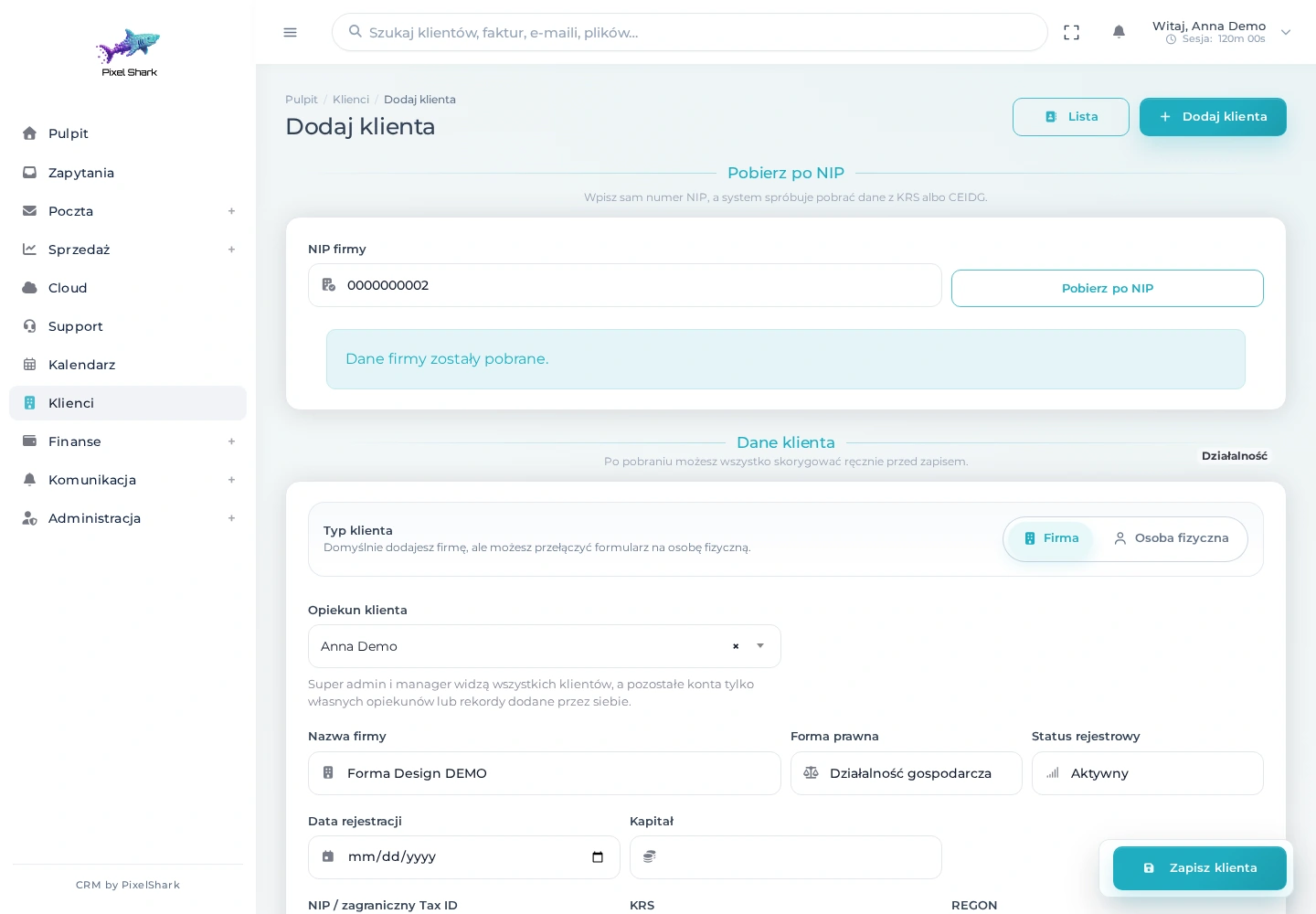
The same form handles sole-trader records. A source label distinguishes CEIDG entries from KRS records and manually entered details.
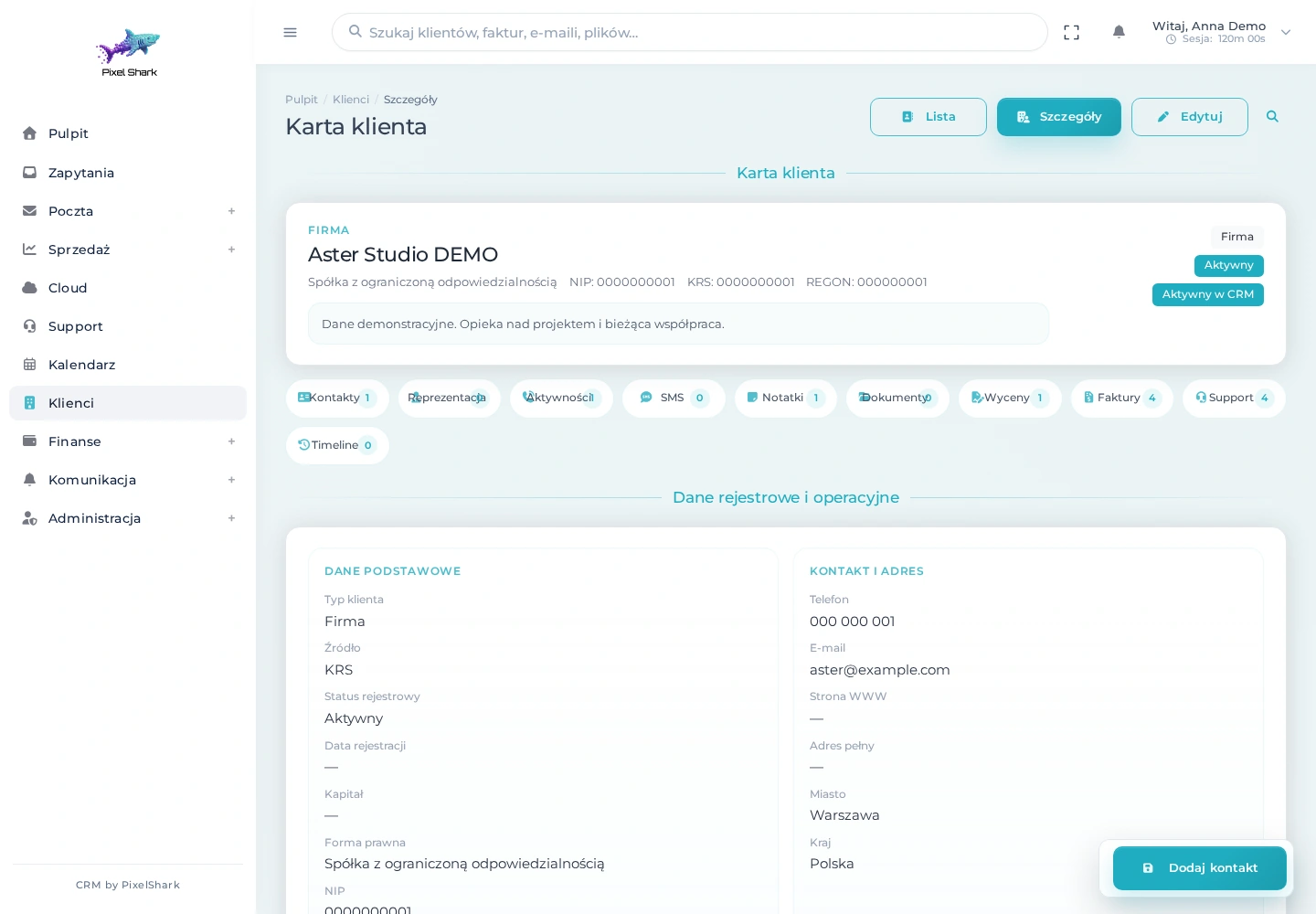
Contacts, relationship history, quotes, invoices and activities are accessible from one client record.
A database of companies and people with contacts, notes, documents and activity history. When adding a client, enter their Polish tax ID and retrieve details from KRS or CEIDG. Review the data before saving, assign an account manager and move straight to a quote or invoice.
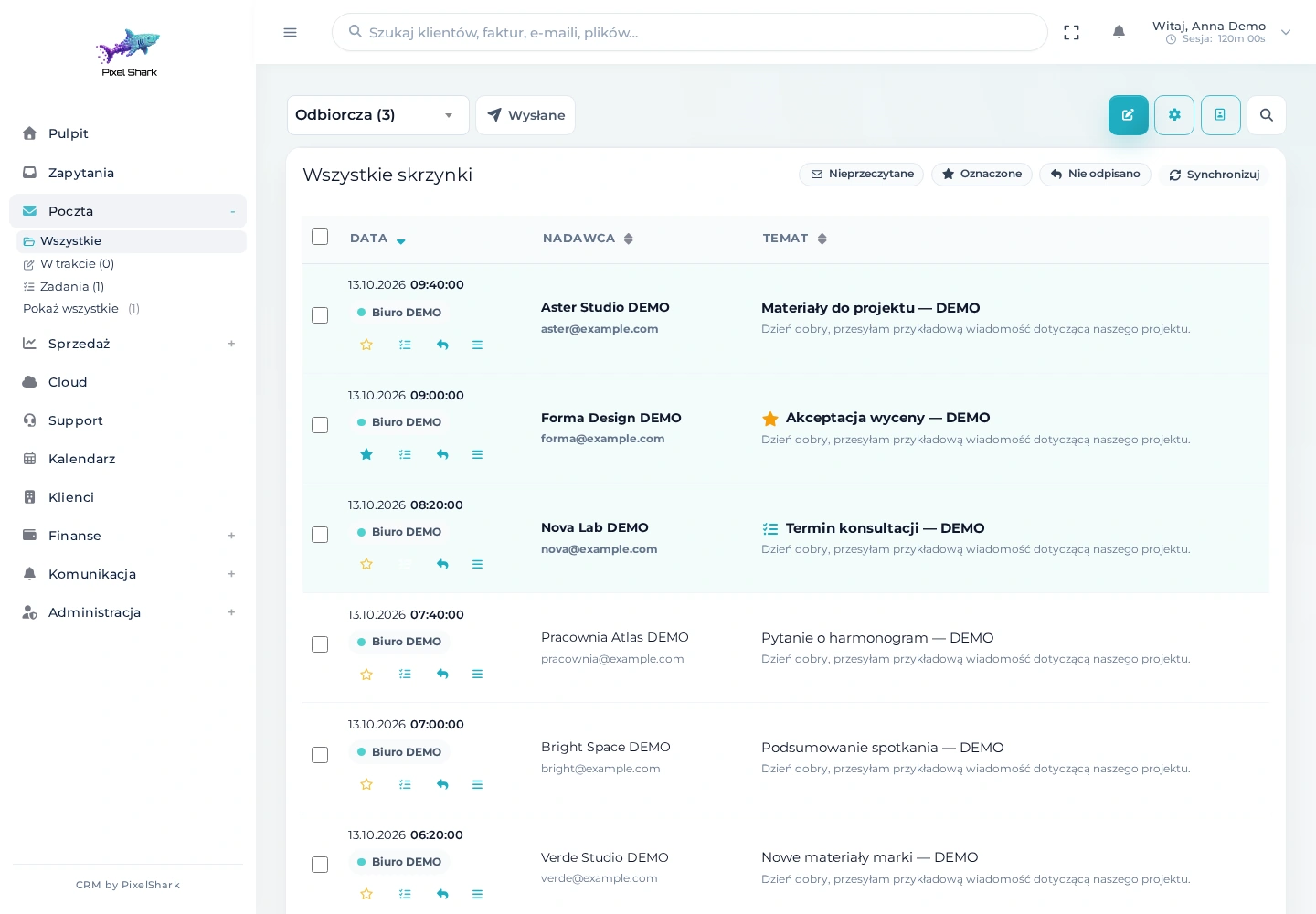
Messages from connected accounts, read status, flags and filters help keep communication organised.
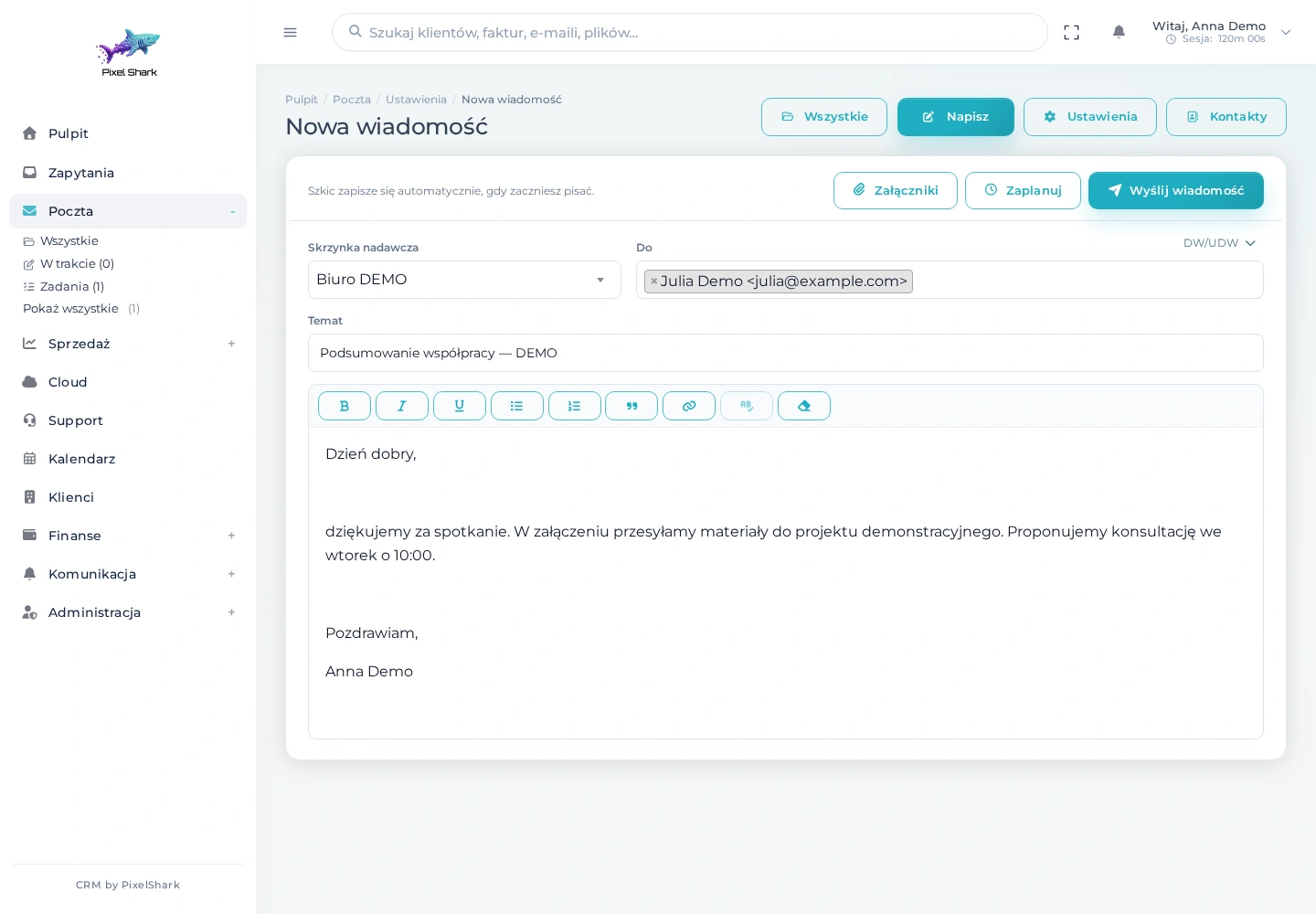
Compose a message, choose recipients and attach files without opening a separate email application.
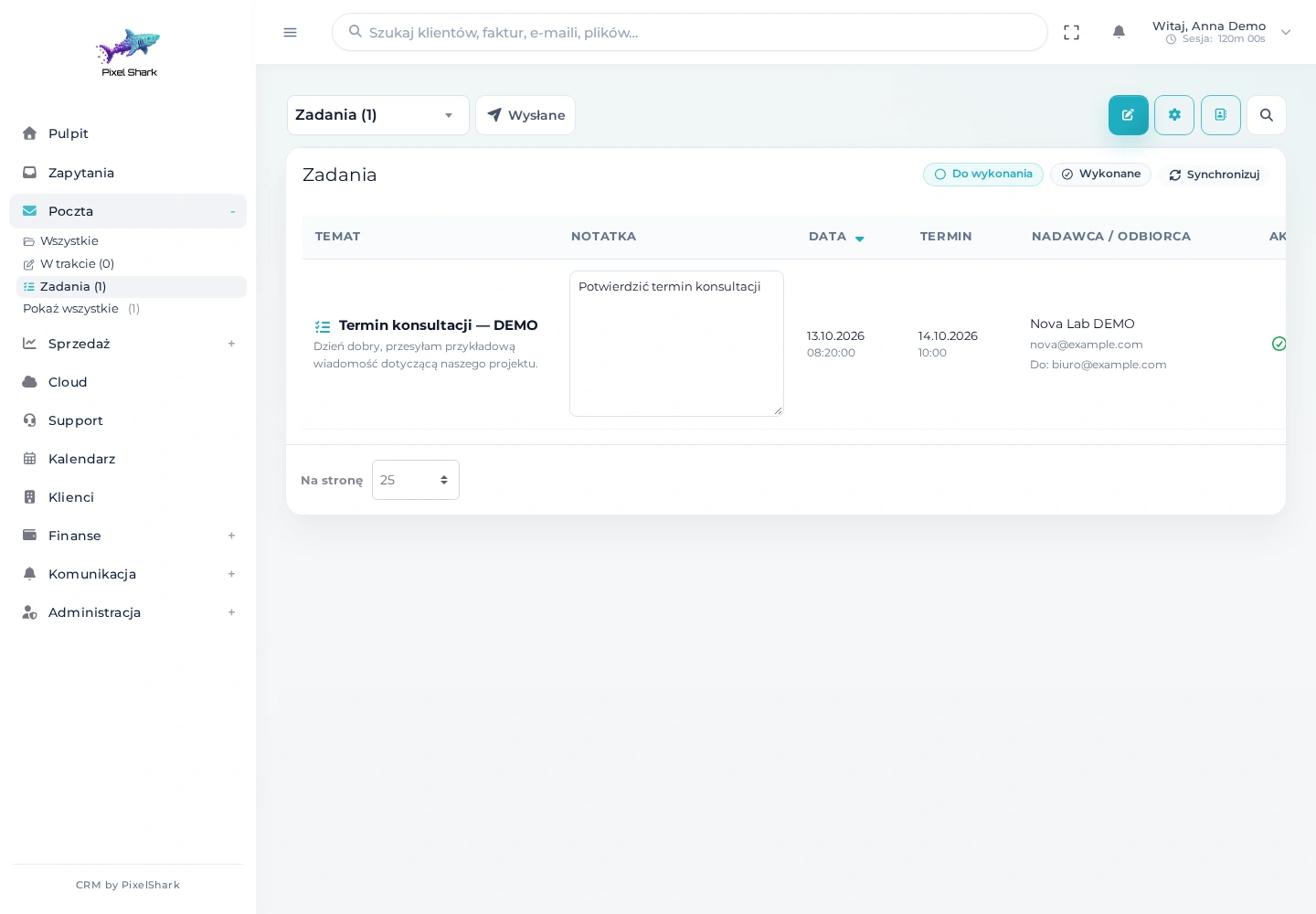
Keep emails that require action together. A note and deadline help you follow up at the right time.
Manage several mailboxes in one workspace: read messages, reply, save drafts and use templates. Folders, filters and message follow-ups help keep work organised. Preview attachments and save them to Cloud.
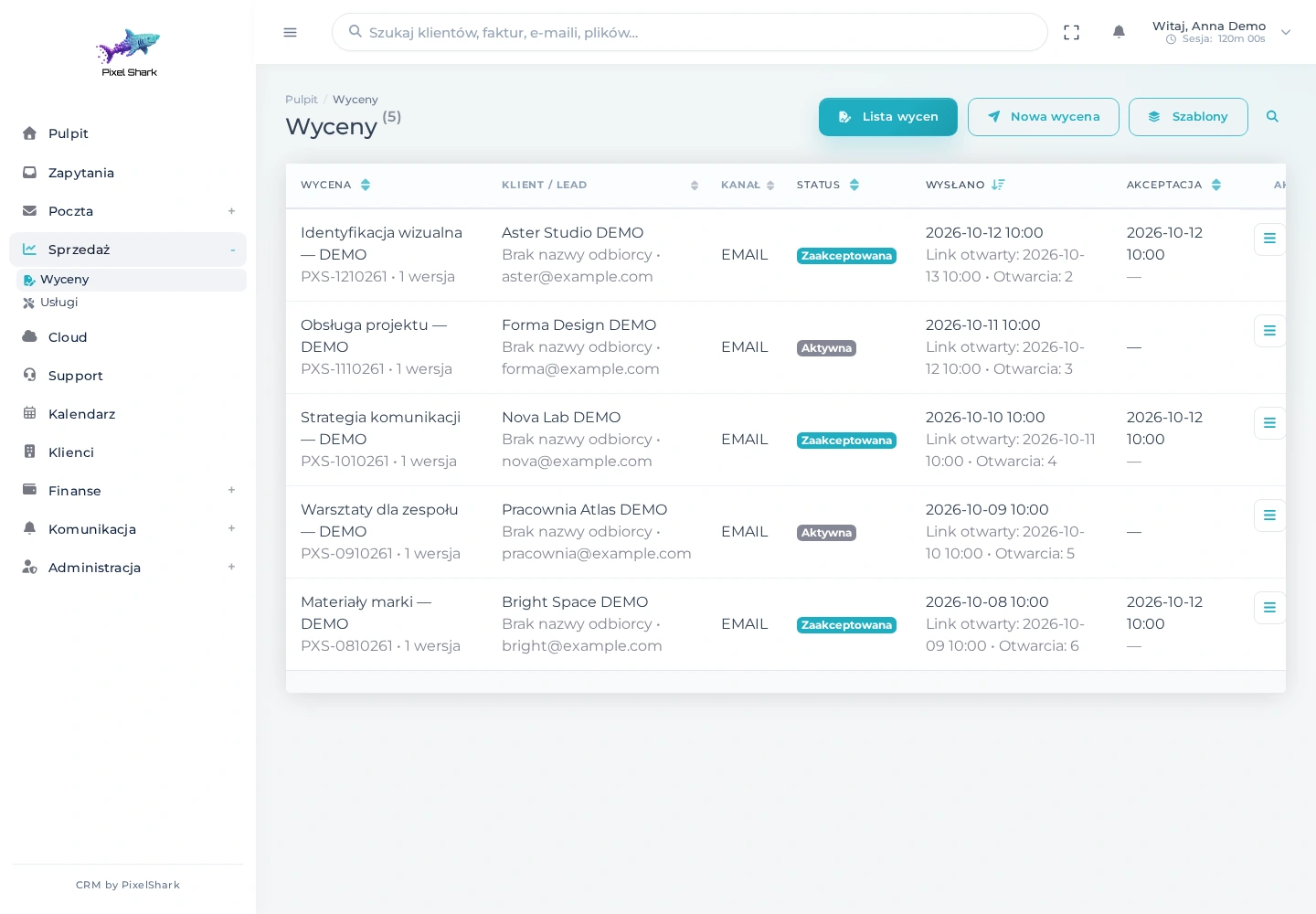
Track delivery, views and acceptance. Communication history stays connected to each quote.
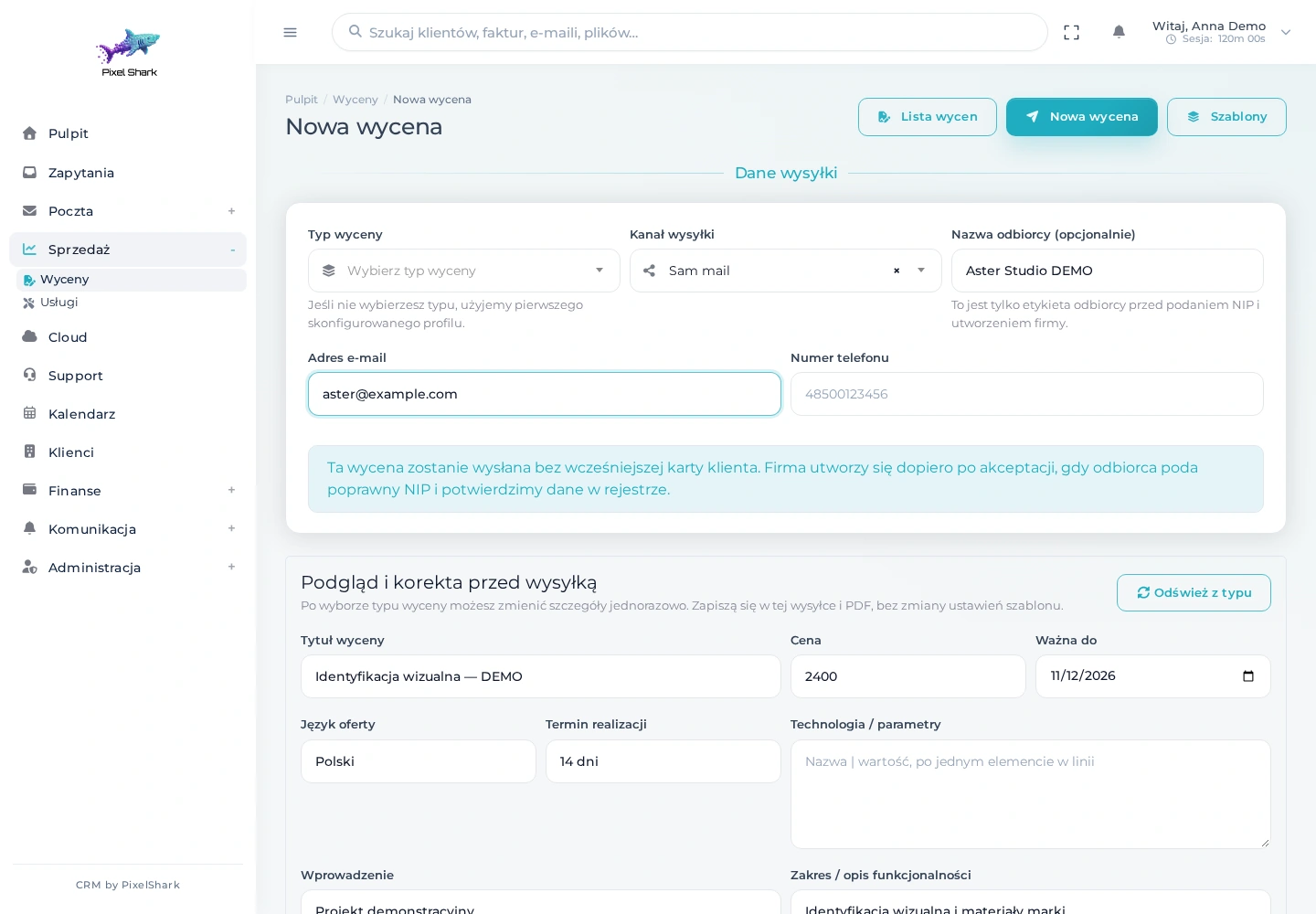
Choose a quote type, recipient and email, SMS or both delivery channels. Tailor the scope, price and terms to the project.
Build quotes from your service catalogue and templates, define the scope and set the terms. Send by email or SMS and follow the status. Clients can accept through a public link, while reminders help you follow up before a quote expires.
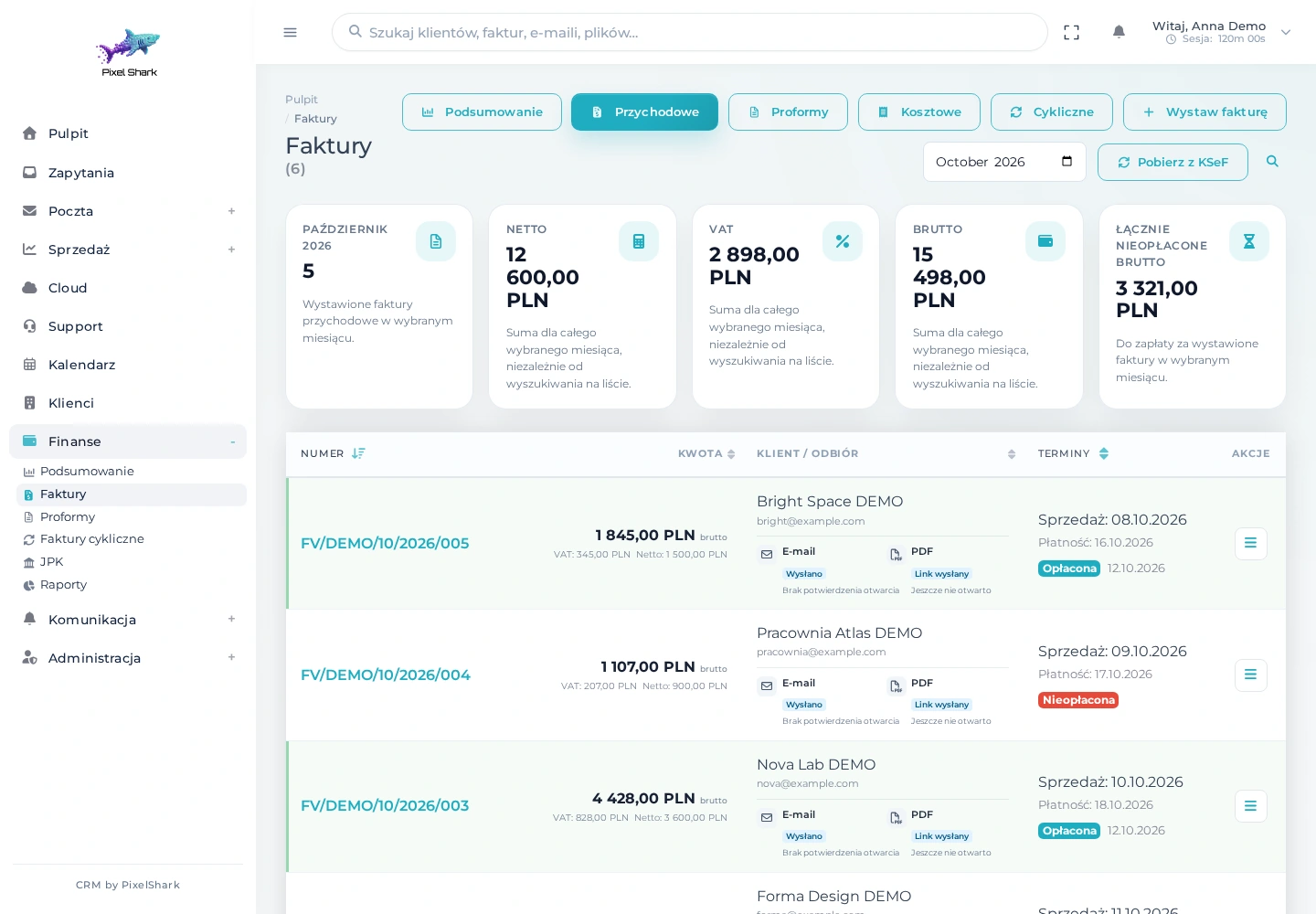
The document list combines amounts, deadlines, payments, client access and KSeF status.
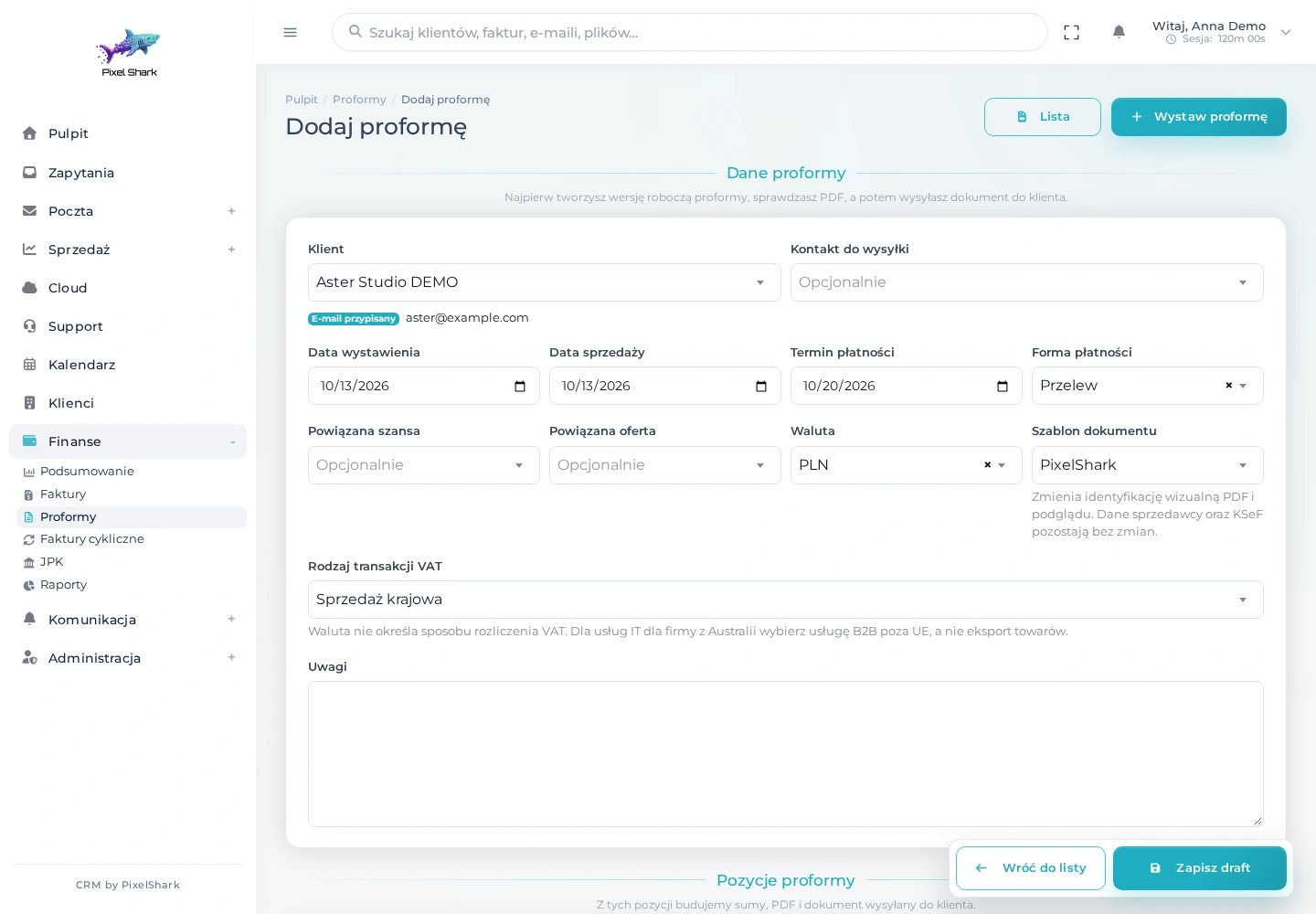
Choose a client, add line items and set payment terms. Start with a draft that can be checked before sending.
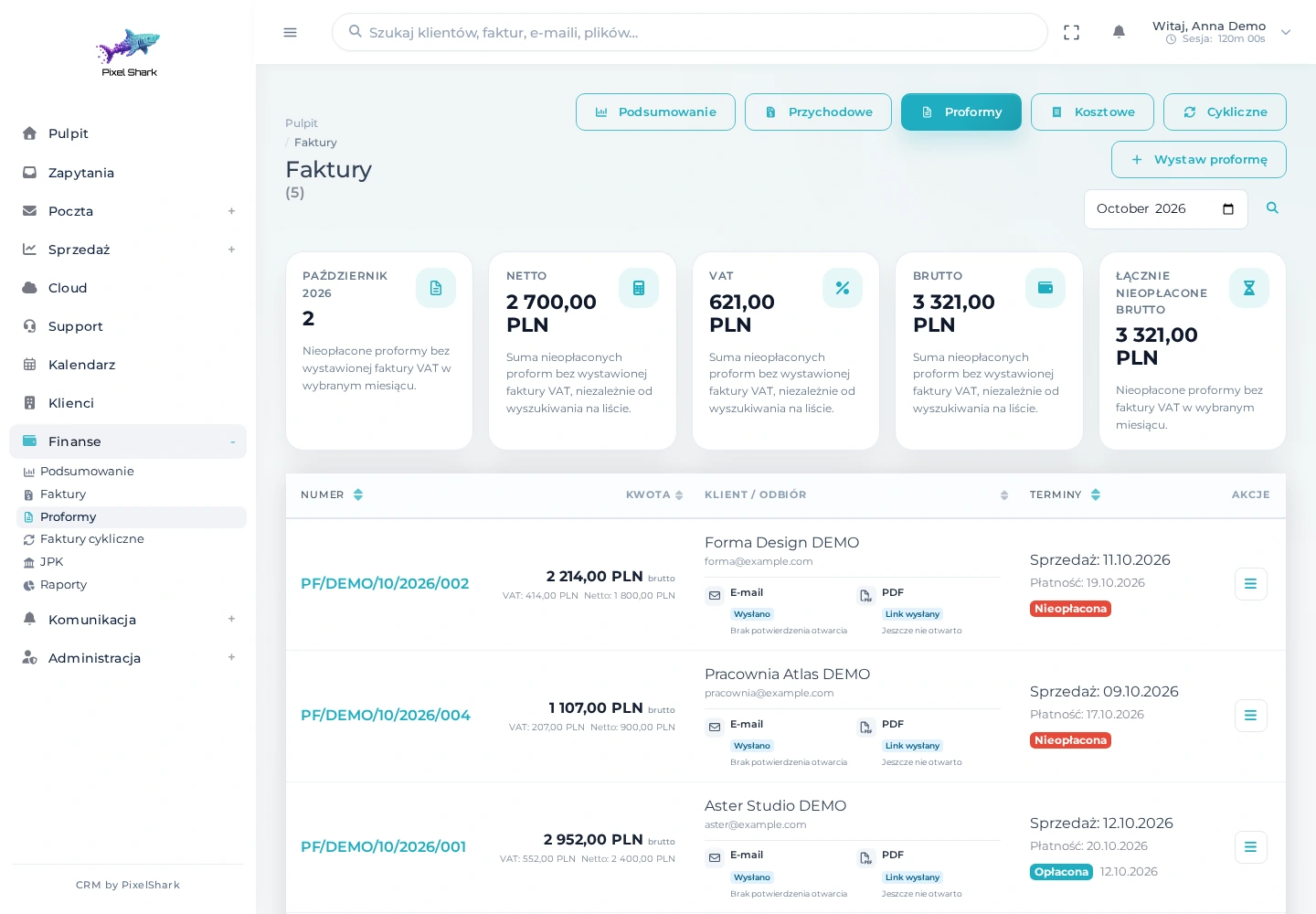
A separate proforma list shows payment and document status. A proforma can be used to prepare a VAT invoice.
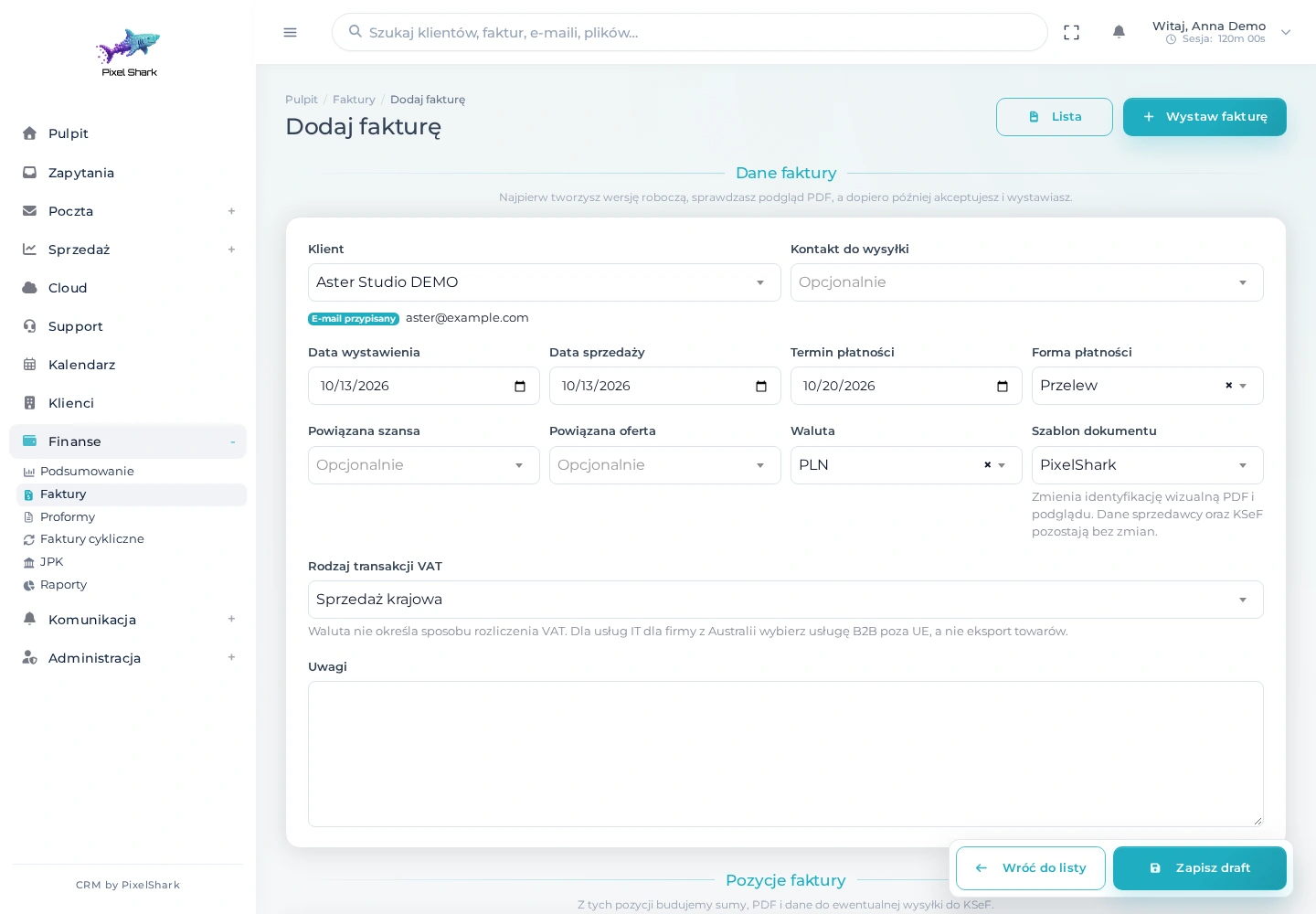
Client details are already in the CRM. Add the service, VAT rate, currency and due date, then review the document.
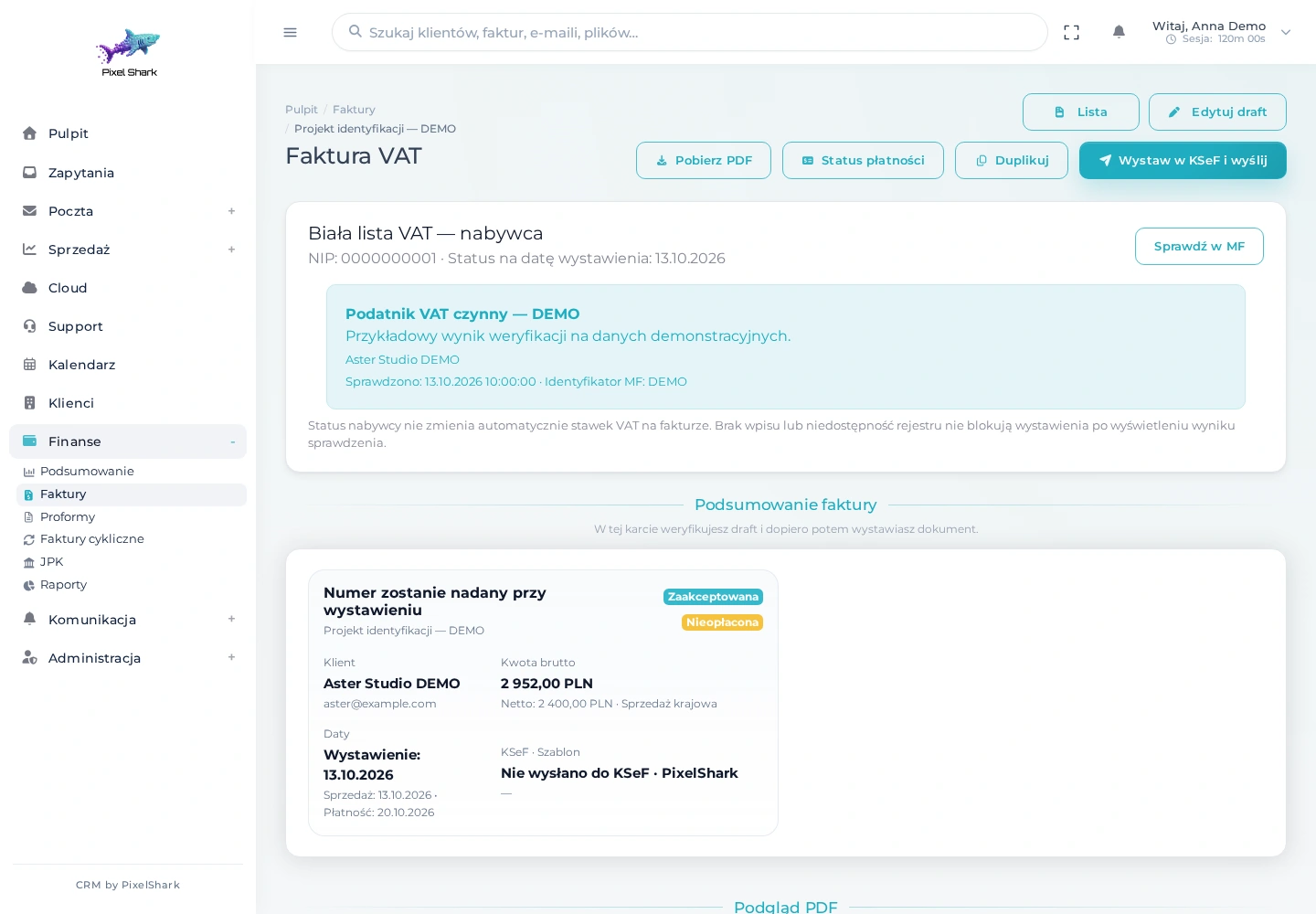
After reviewing and approving the document, start issuance through KSeF and delivery to the client. Proformas follow a separate sending workflow.
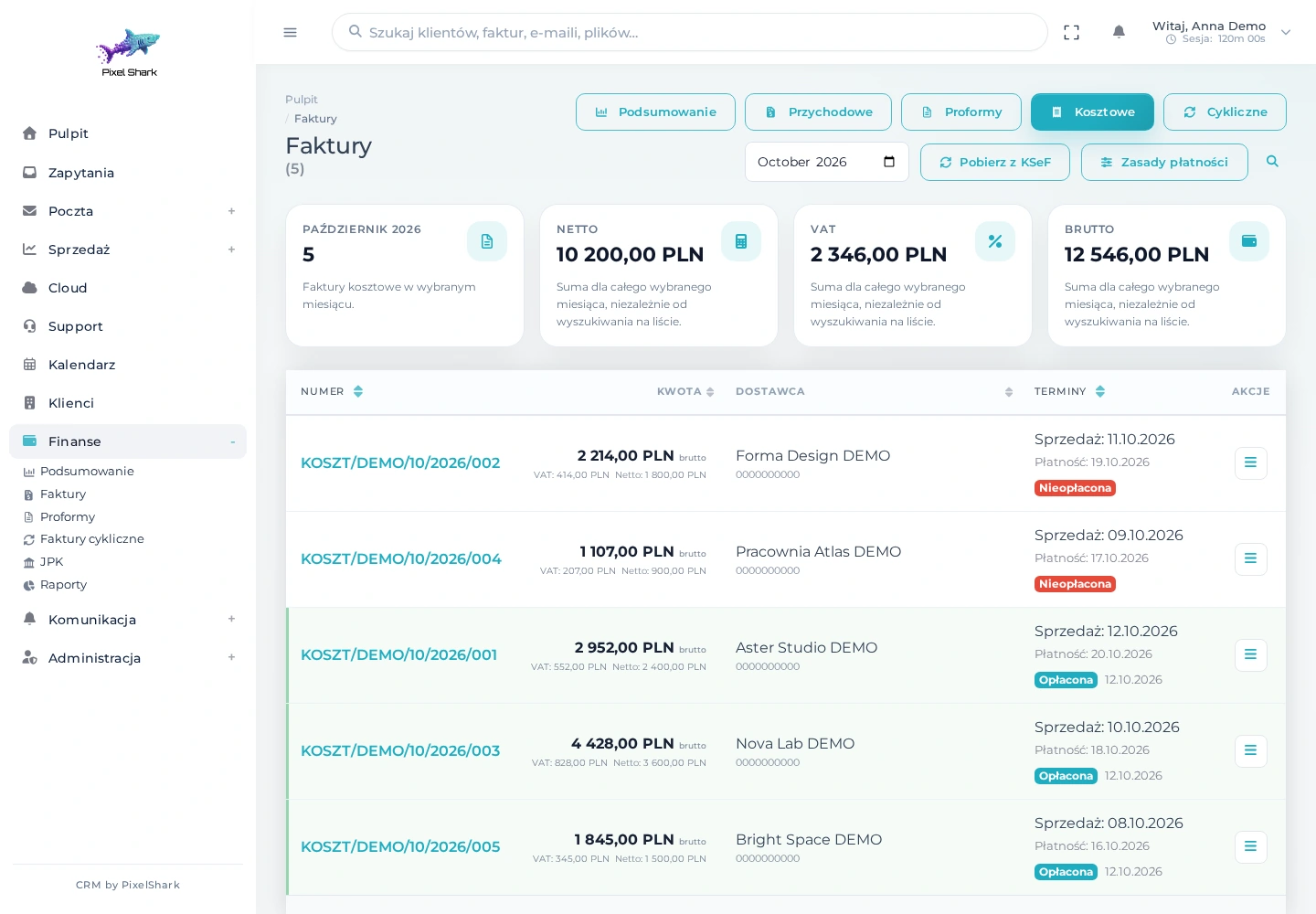
Cost invoices have a dedicated tab with KSeF retrieval, payment deadlines and supplier payment policies.
Prepare a proforma or sales invoice using existing client details. Review the draft and PDF preview, approve the document, then issue it through KSeF and send it to the recipient. A separate cost tab lets you retrieve invoices from KSeF. Payments, reminders, recurring documents and multiple currencies support the rest of your billing workflow.
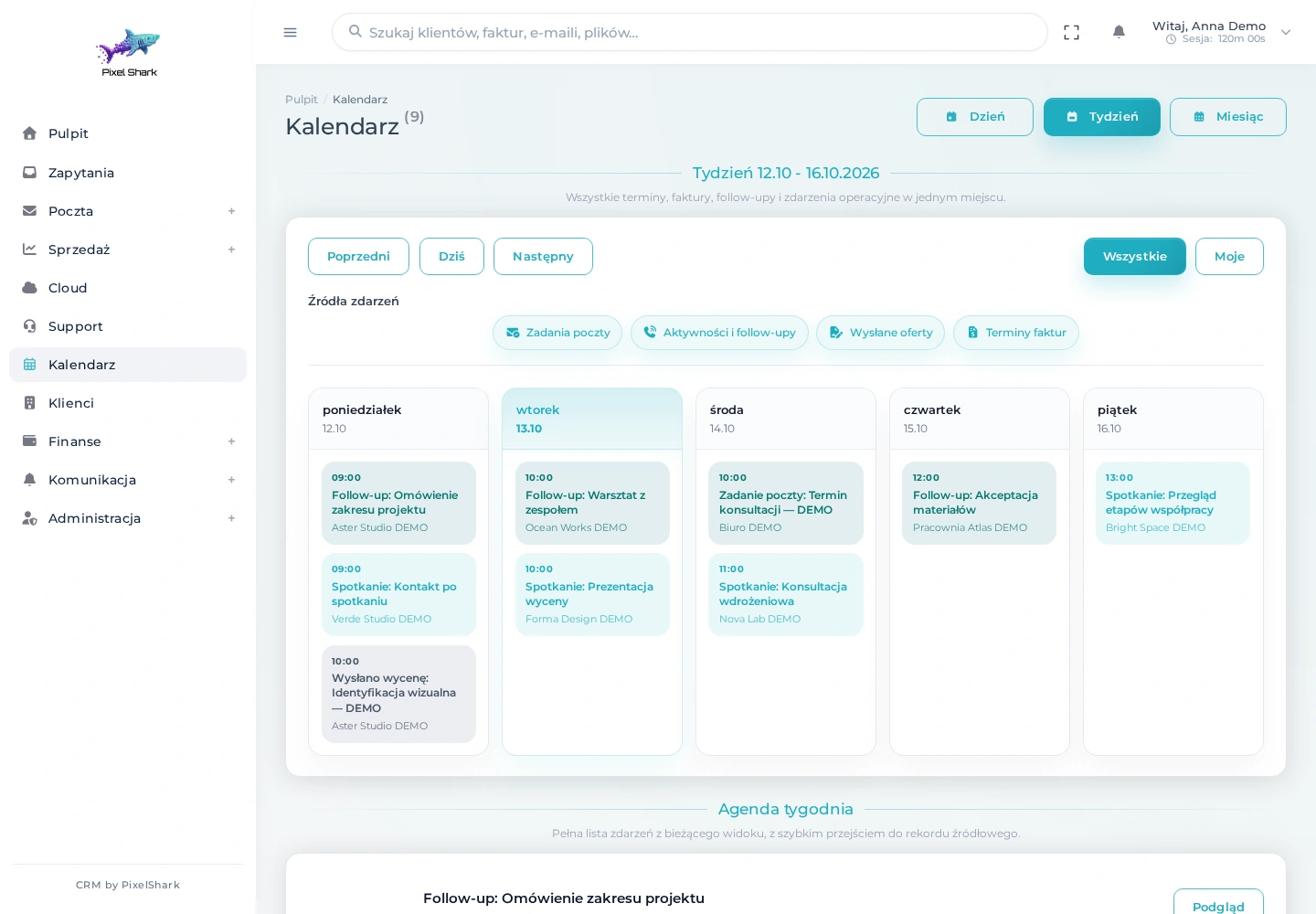
Meetings, follow-ups and document deadlines in one calendar. Filter the event sources you want to see.
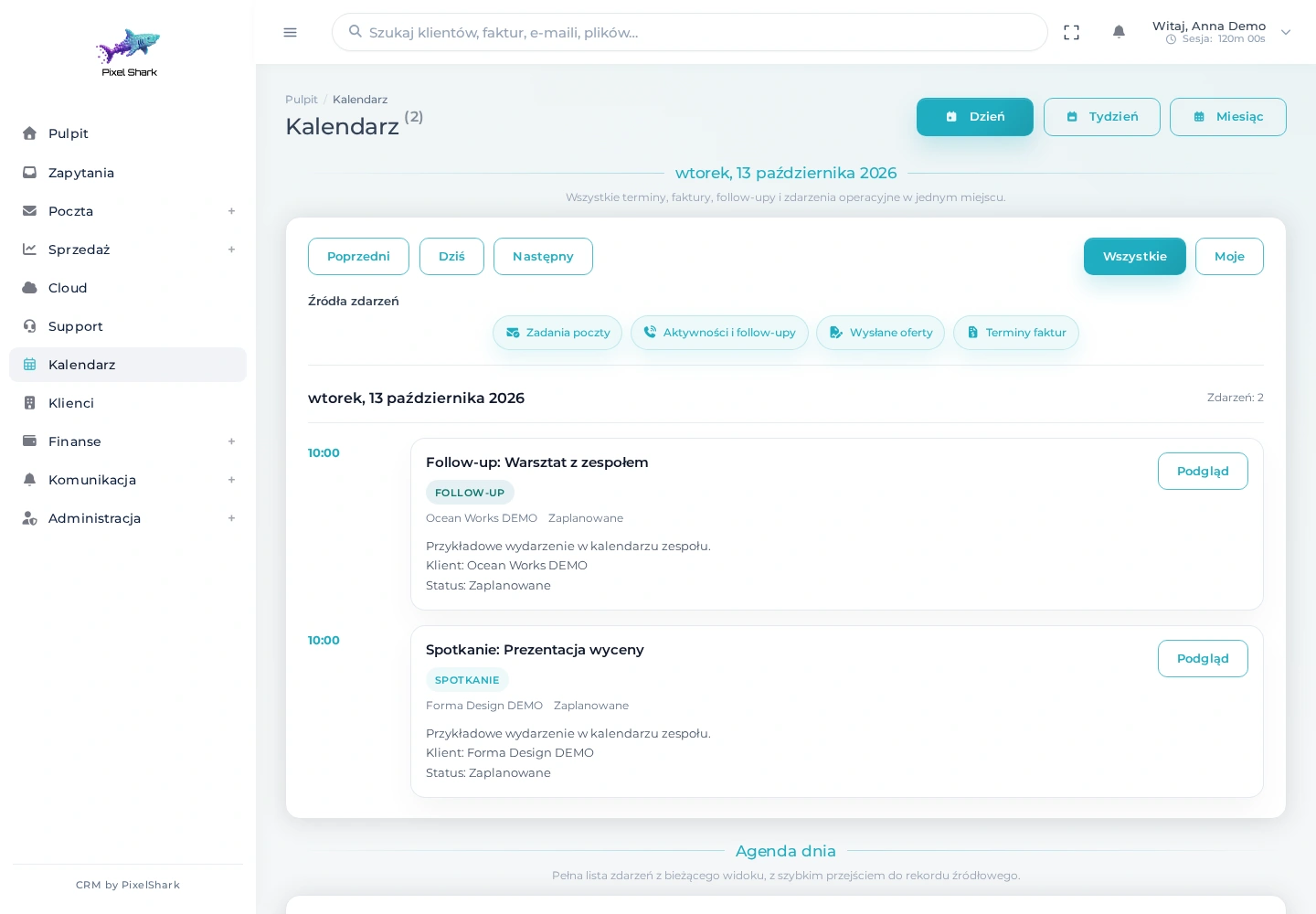
Switch to a specific day and review scheduled activities. Dates can also be made available through an ICS feed.
Meetings, activities and follow-ups create a clear picture of the day. The dashboard agenda helps you start with the right work, and the calendar provides a wider view. An ICS feed makes your schedule available in an external calendar too.
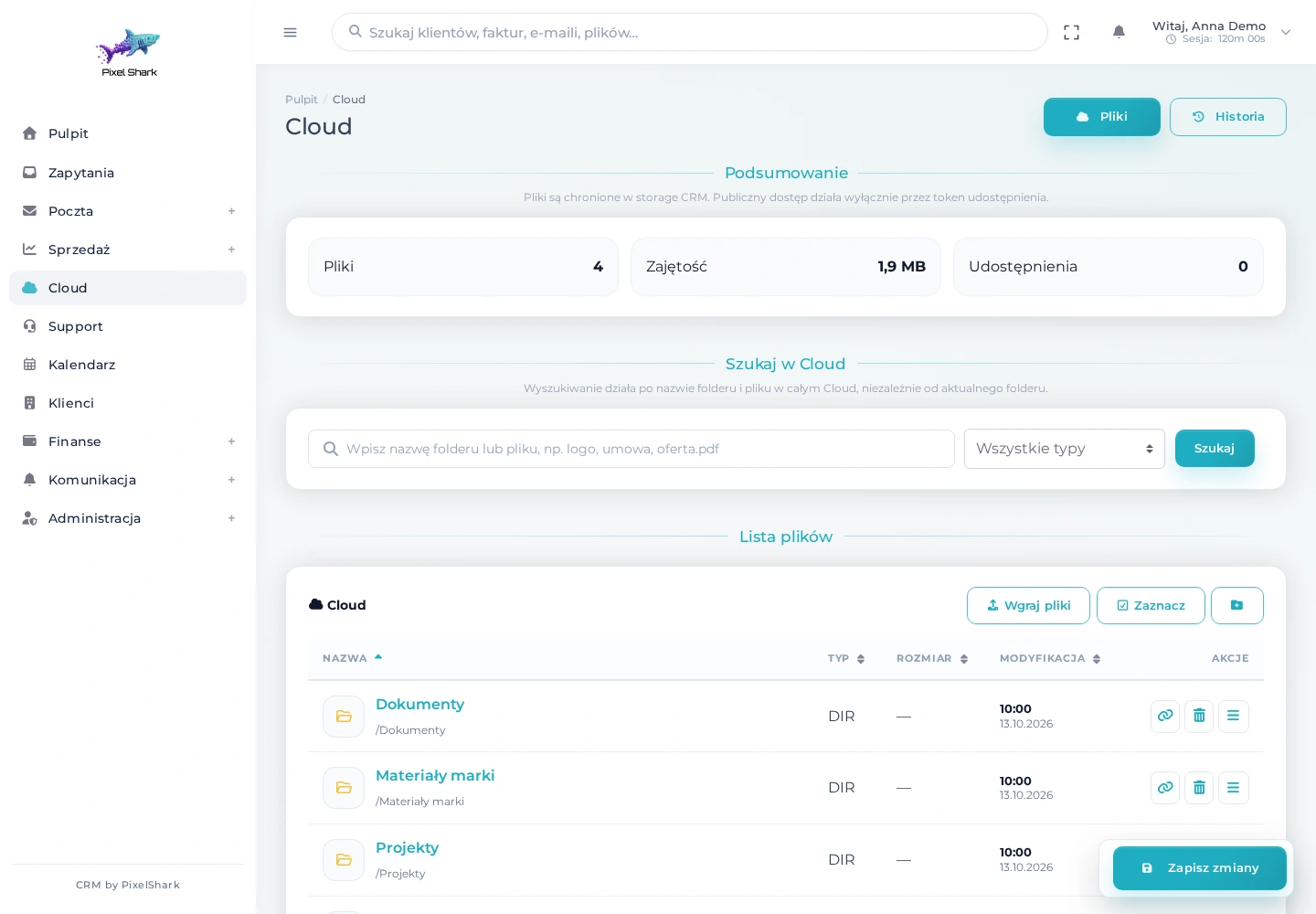
Store materials in an organised structure, search files and use the actions available for each document.
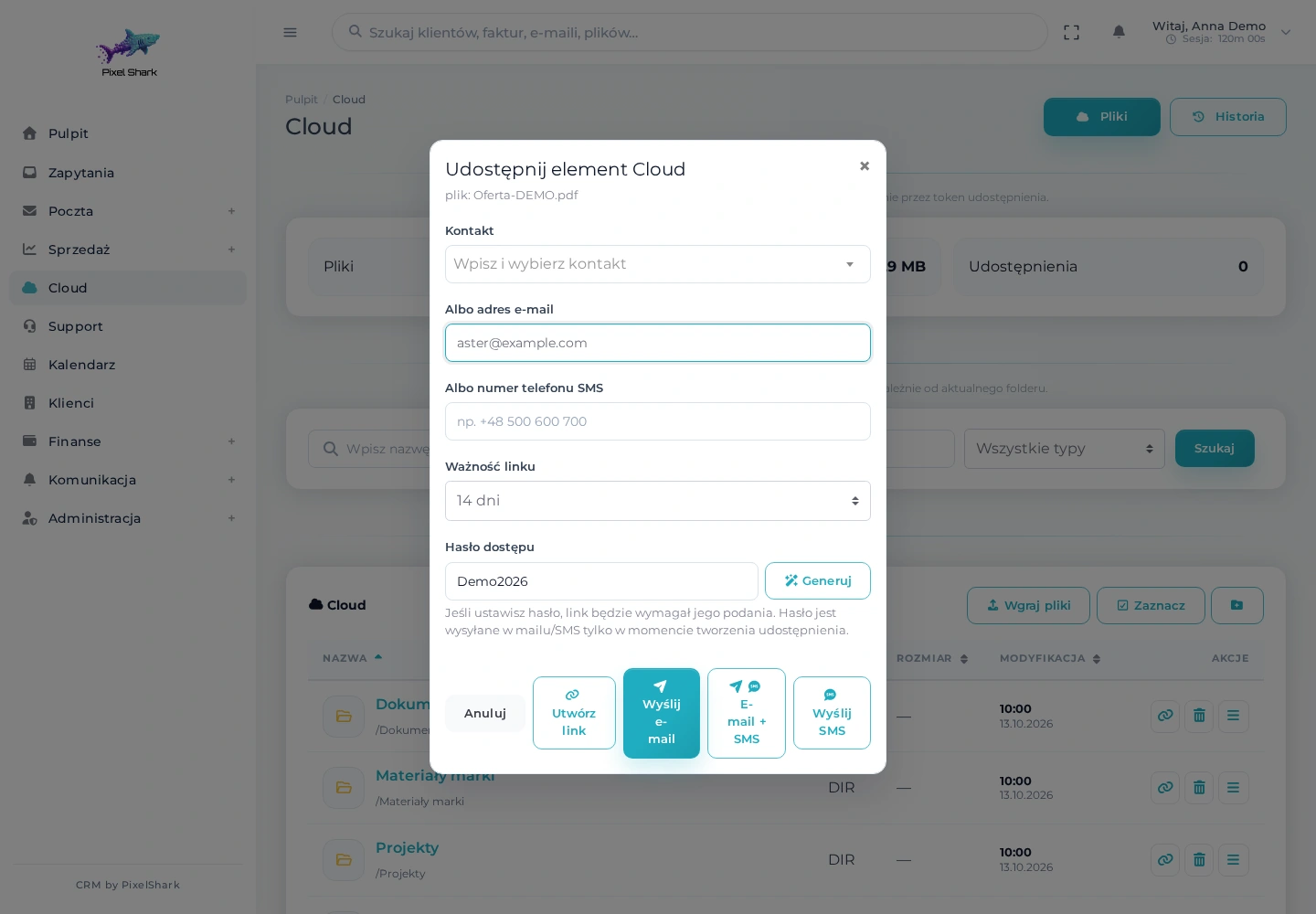
Create a link to a file or folder. Set a password and expiry date to suit your collaboration.
Organise documents in folders, upload files and preview their contents. Share client materials through a link with an optional password and expiry date. Email attachments can become part of the same document workflow.
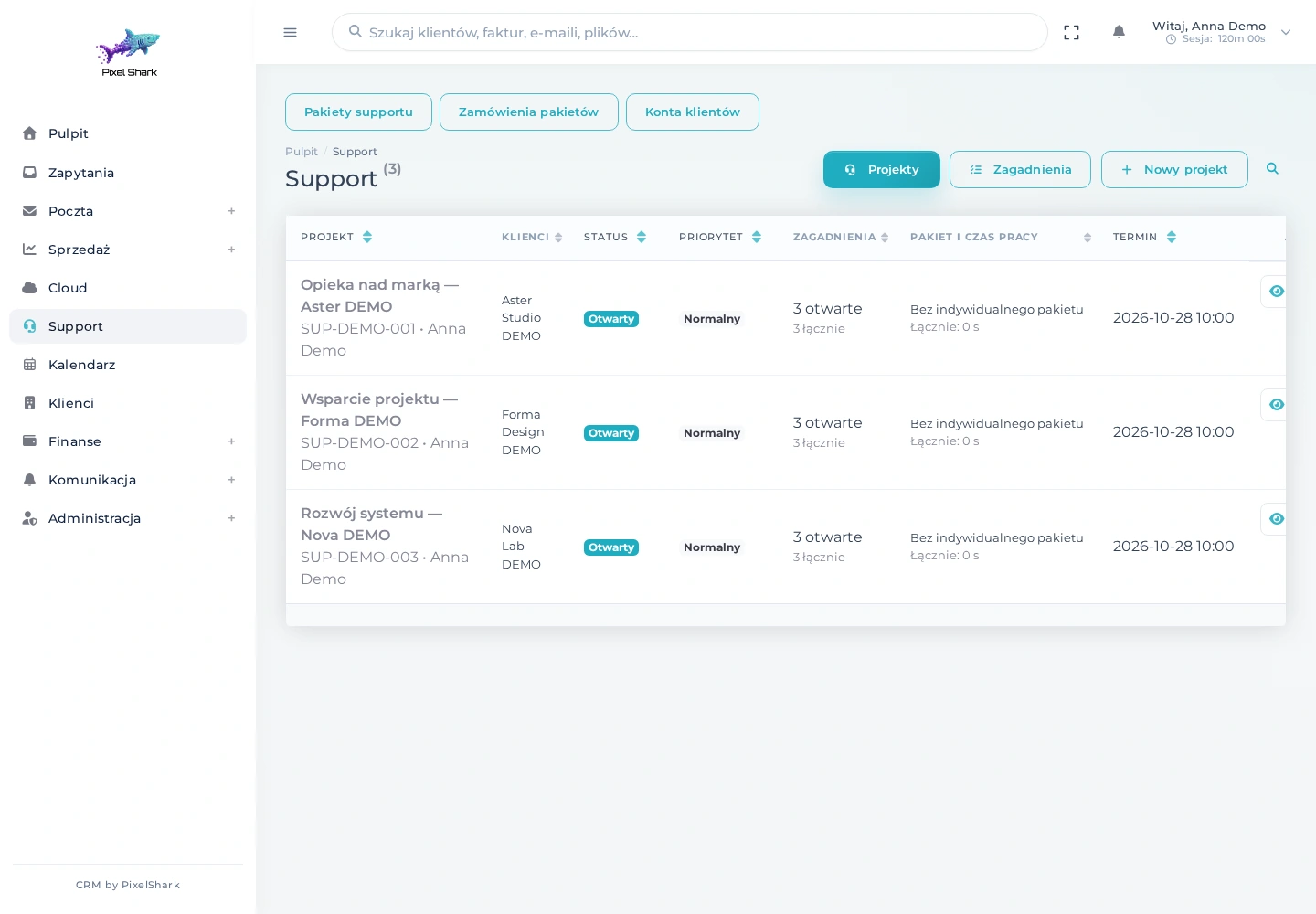
See clients, owners, open issues and hour allowances in one project overview.
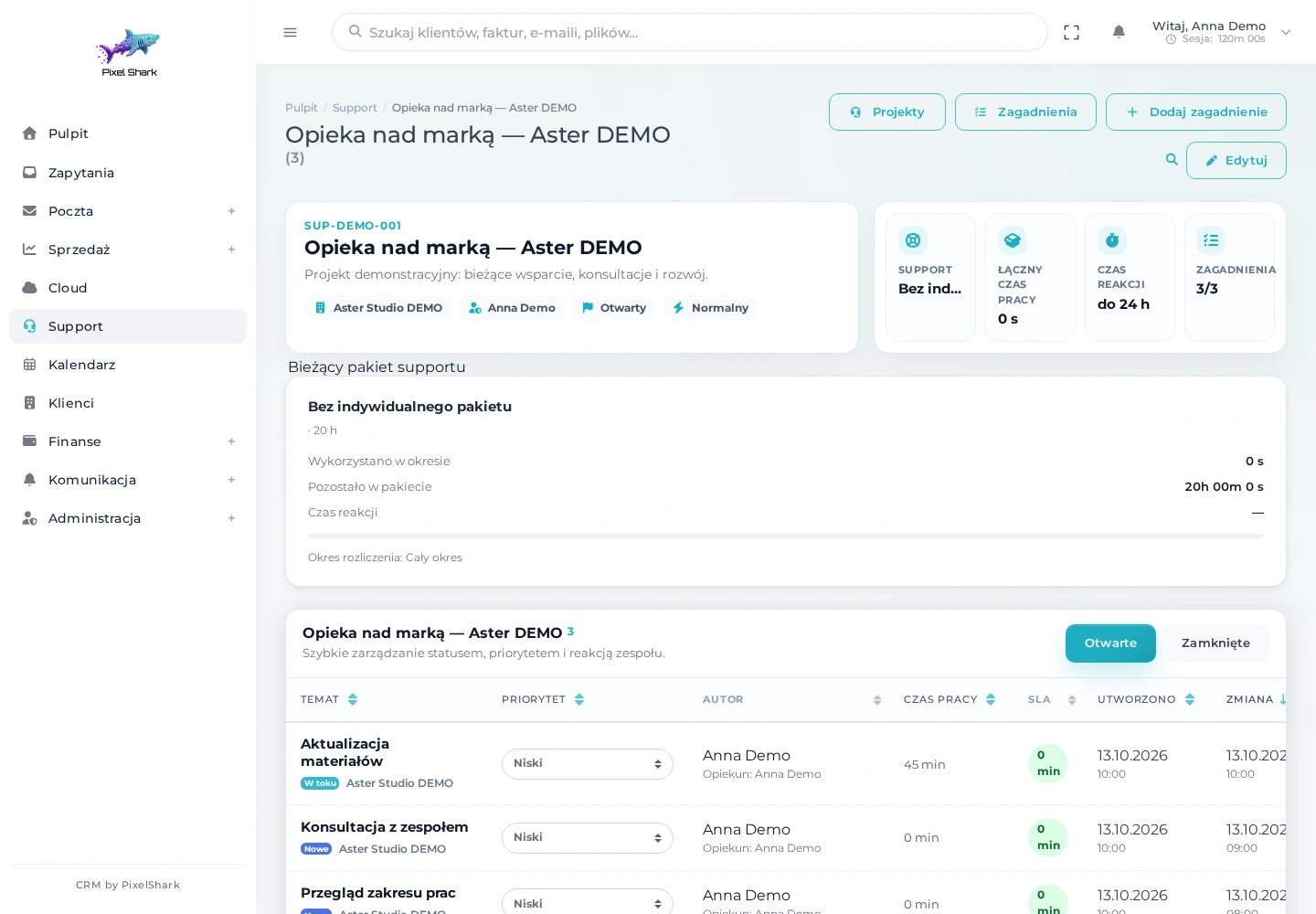
Review a client’s issues with their status, priority and recorded work time.
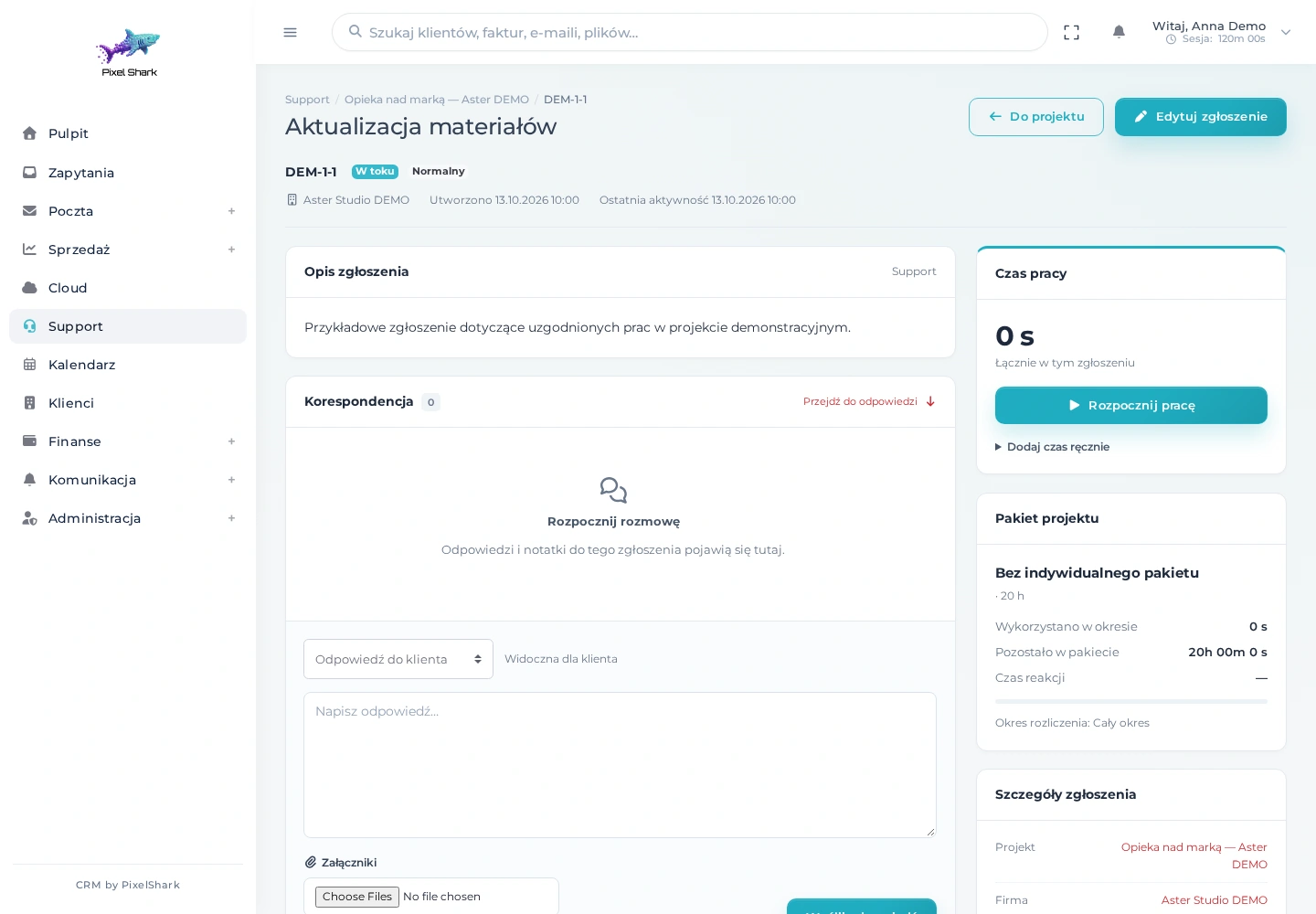
Description, ownership, progress and recorded time help you manage an issue from request to resolution.
Support projects bring together clients, issues, responsible team members and deadlines. Statuses, priorities and issue-specific correspondence make it easier to hand work over and see what needs a reply.
Screenshots show the actual Polish interface of PXS CRM with our logo. Names, contacts, messages, documents and amounts come exclusively from a demo database.
More than a contact database
Form submissions, attachments and replies in an organised queue. Your team can see what needs attention and what a prospective client has shared.
Recipient lists, campaigns and delivery history. Complement individual customer service with organised communication to selected contact groups.
Revenue, cost and payment summaries help you review the data recorded in the system. Reporting scope is tailored to each role and the needs of your business.
Module and action access depends on permissions. Notifications and activity history help people work together with clear accountability.
From first enquiry to ongoing service
Capture requirements, contact details and attachments.
Complete the client record, assign an owner and arrange the next conversation.
Define the scope, send a quote and receive acceptance.
Issue the document, track its due date and record payment.
Manage issues, share files and schedule your next follow-up.
Your brand. Your way of working.
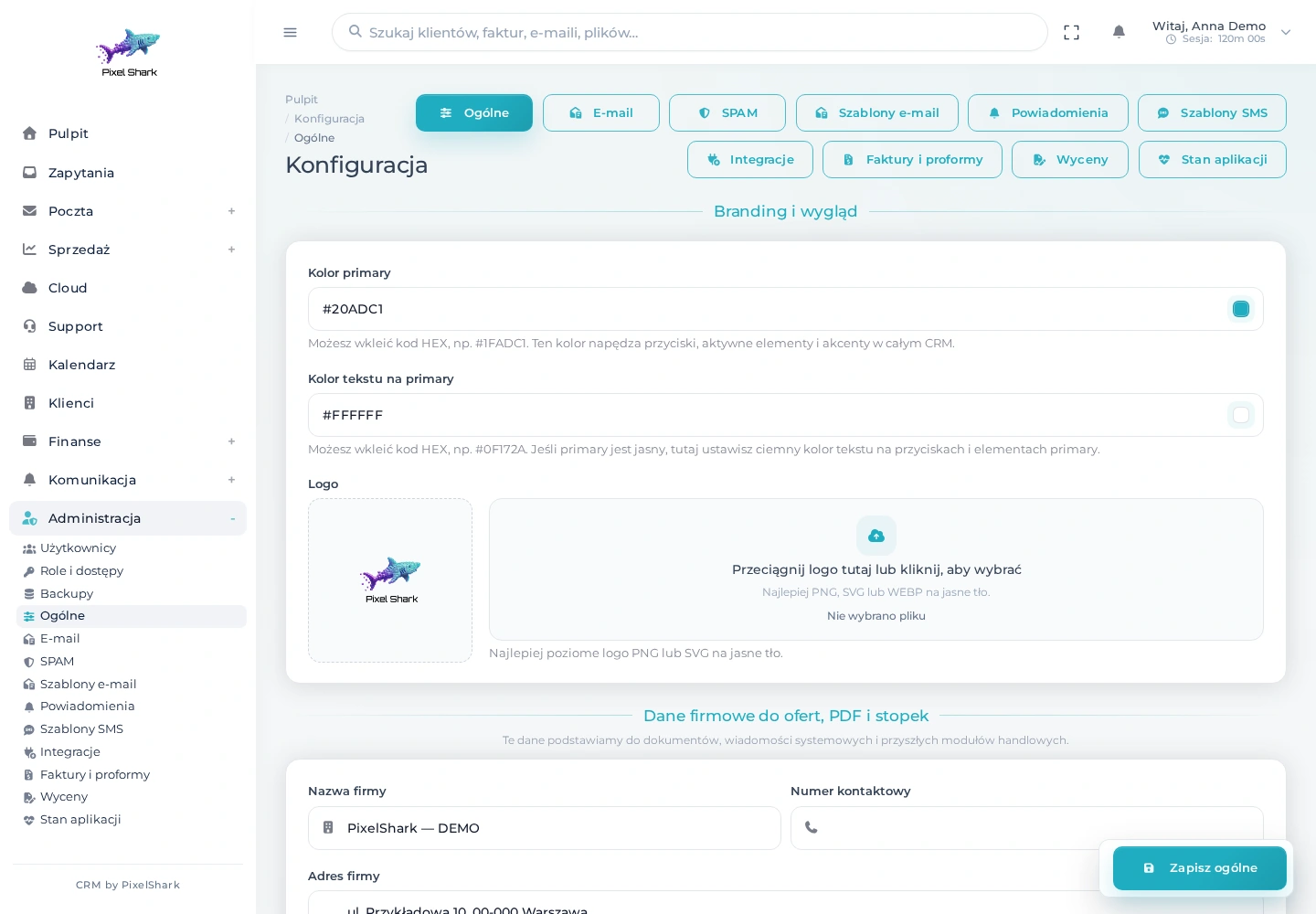
Your team and clients should recognise your business at every touchpoint. We tailor the logo, interface colours, company details, quote templates, PDF documents and messages. Your own domain and consistent communication complete the branded deployment.
PXS CRM provides a starting point for service businesses, B2B teams, agencies and organisations with long-term client relationships. It is particularly relevant when client information is scattered across inboxes, spreadsheets and separate applications. Together, we decide which modules you need at launch and which can follow later.
IMAP/SMTP email, enquiry forms, SMS, an ICS calendar and financial integrations connect the CRM to your existing tools. Further API connections, imports and automations are planned after reviewing the available data and external service requirements.
The system includes roles, granular permissions, two-factor authentication, passkeys and activity history. During implementation, we agree access rules, backup arrangements and maintenance. Configuration reflects your working practices and the sensitivity of the information you handle.
From workflow to working software
We map customer service, data sources, roles and the points where time or information is lost. Then we agree the goals for the first stage.
We select modules and configure branding, permissions, documents and integrations. We agree any extensions and the data migration approach.
We verify key scenarios with test data, prepare the import and train users. Launch follows an agreed scope and plan.
After launch, we gather feedback, set priorities and develop further capabilities. Maintenance arrangements are agreed before go-live.
Implementation cost depends on the modules, data migration, integrations and bespoke changes. After discussing your needs, we prepare a proposal covering scope, delivery stages and maintenance. You do not need to launch every feature at once.
FAQ
PXS CRM is a modular system developed by PixelShark for customer relationship management and daily business operations. It connects clients, enquiries, email, quotes, invoices, calendars, files and support. We use it in our own business and tailor deployments for other organisations to their workflows.
Yes. We tailor the logo, colours, company details, quotes, PDF documents and email communication. The system can be deployed on your company domain, with further interface changes included in the agreed scope.
No. We start with the functions your team needs. Additional areas can be introduced or developed in stages. Roles and permissions control access to individual modules and actions.
We plan migration after reviewing data structure, quality and export options. Together, we agree field mapping, history coverage, duplicate handling and a test import. The final transfer follows validation.
Yes. Enter a Polish tax ID in the client form to look up details in KRS or CEIDG. Review and complete the retrieved information before saving the record. The feature requires the relevant registry integration to be configured.
The system includes sales invoices, cost invoices and proformas, plus an integration with Poland’s KSeF e-invoicing system. Available actions depend on configuration, permissions and the agreed implementation scope. Document workflows are discussed with your business and accounting team.
Yes. The system works with IMAP/SMTP email, SMS, forms and an ICS calendar. Additional integrations are assessed against API documentation, data scope and required synchronisation frequency.
No. The screenshots show the actual interface of our CRM running with a separate demo database. The logo, layout and application design are preserved. Company and contact names, messages, files, documents and amounts are fictional.
We establish the timeline and budget after reviewing workflows, modules, integrations and migration scope. The proposal sets out delivery stages, responsibilities and maintenance terms. A focused initial launch and a multi-module rollout require different plans.
PXS CRM
Tell us how you serve clients and where your team loses the most time. We’ll show you which PXS CRM modules make sense to start with.
Let’s plan your CRM