
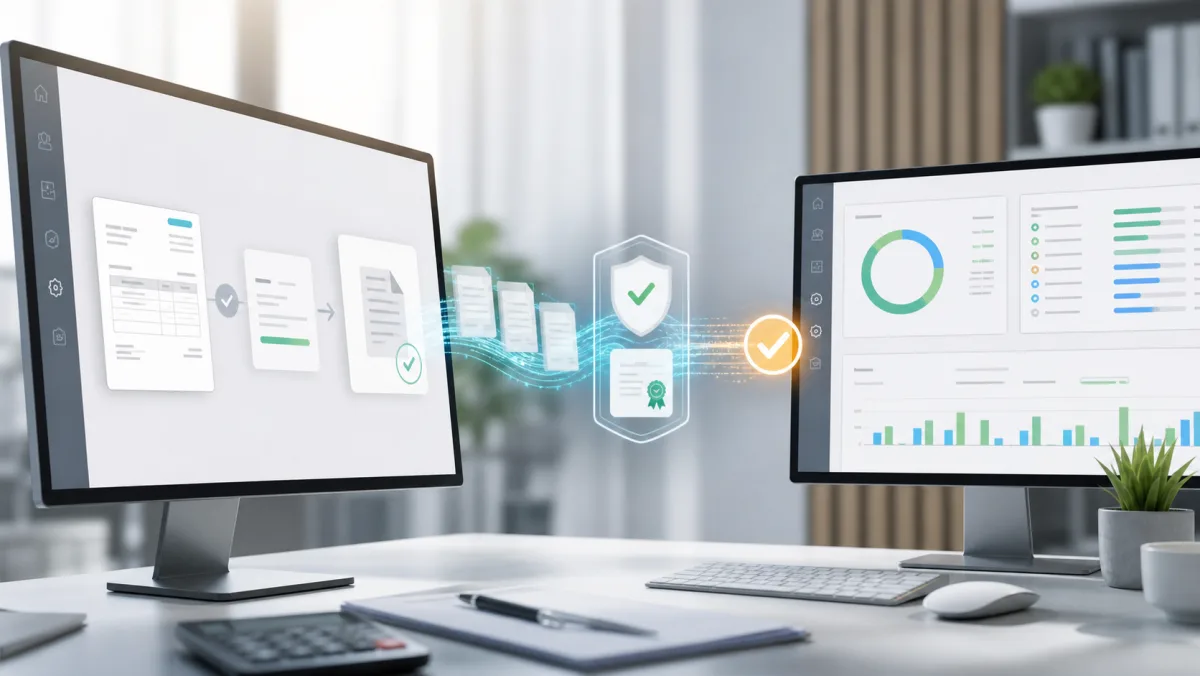
Correct integration of KSeF 2.0 with CRM or ERP does not end with sending an XML file. The system must securely authenticate the company, generate an FA(3) document, handle the session and API limits, check the status, save the KSeF and UPO number, download cost invoices and work even when the external service is temporarily unavailable.
In August 2026, KSeF 2.0 is already a production element of the invoice workflow. From February 1, the obligation to issue the tax covered the largest entrepreneurs, from April 1 to the remaining ones, with a postponement until January 1, 2027 for the smallest taxpayers who meet the statutory criteria. Receiving invoices by KSeF is effective from February 1, 2026. Companies that still manually transfer data between accounting, sales and the bank are missing out on the greatest benefit: automation of the entire process.
What does complete integration with KSeF 2.0 look like?
The architecture should separate the business document from communication with the Ministry of Finance system. CRM creates an invoice based on the customer, item, VAT rates and payment terms. A separate integration module validates the data, builds XML FA(3), signs or authorizes the operation, communicates with the API and passes the result to the application.
- The user or machine creates an invoice in the system.
- The validator checks buyer details, items, totals, currency and required FA(3) fields.
- The KSeF module establishes an authorized session and sends the document.
- A background task checks the processing status.
- After acceptance, the system saves the KSeF number, date of acceptance and UPO.
- CRM updates customer, payment and document history.
1. Environments and access data
The integration should be developed and tested outside the production environment, and the API address, certificates and keys should be stored in a secure configuration. The credentials cannot go to the repository, logs, or the user's browser. Access should be limited to the server process and logged.
In 2026, KSeF tokens and certificates may run in parallel. According to the schedule, certificates are to remain in effect from January 1, 2027, so the new integration should support their life cycle from the beginning: expiration date, replacement, authorizations and safe storage.
2. Invoice model and FA diagram(3)
The most common mistake is generating XML without first organizing the data model. CRM should clearly store seller and buyer details, dates, currency, VAT rates, discounts, units of measurement, payment and adjustments. Header amounts must result from the item and not be independently rewritten.
Before sending, the document should be validated both technically against the current schema and in business terms. The message to the user should point to a specific field, rather than showing an API error code.
3. Shipping, status and UPO
An HTTP response after sending does not always mean that the invoice has been finally accepted. The integration must track the asynchronous status and only after positive processing save the KSeF number. The following should remain in the document's history:
- session and operation ID,
- document abbreviation and schema version,
- sending time and receiving time,
- KSeF number, status and UPO,
- clear error description and number of retries.
UPO should be archived after downloading. Technical links may expire, so the system should not assume that the document can always be restored from a temporary address later.
4. Downloading cost invoices
Good integration works in two directions. The schedule periodically downloads metadata and purchase documents, detects duplicates and records the point to which the data was processed. The official API documentation describes the export mechanisms and the pattern that ensures the completeness of subsequent reads.
After downloading the invoice, the system can automatically recognize the contractor, payment date, net, VAT and gross, and then link the document with the transfer. The source document from KSeF should remain intact, while an HTML or PDF view can be generated for convenient reading.
5. Queues, limits and error tolerance
Communication with KSeF should not be performed during one browser request. The operation may take longer and a network error should not force you to re-invoice. Queued tasks must be idempotent: a retry cannot create a second document.
The integration should respect API limits, use controlled retries with increasing intervals, and distinguish between a transient error and a persistent data error. The official KSeF 2.0 changelog is an important source of changes to versions, limits, public keys and export formats.
6. Offline modes and QR codes
The offline24 mode allows you to issue an invoice when the taxpayer has a problem with the connection or wants to submit it to KSeF later within the prescribed period. The document must still be FA(3) compliant, marked appropriately and sent in accordance with the rules of the procedure. The KSeF type 2 certificate is used, among other things, to generate a second QR code confirming the identity of the issuer.
Offline mode cannot be a random error-bypassing button. The system should record the reason, shipping date, status and each attempt to forward the document.
7. Security and audit
- Certificates and secrets should be encrypted and made available only to authorized processes.
- Every invoice change, shipment and collection should leave an audit trail.
- CRM roles must limit document issuance, corrections, integration configuration, and access.
- Alerts should inform you about an expiring certificate, a stopped queue, and an increasing number of errors.
- Backups must include documents, UPO, configuration and operation history.
Minimum scope of KSeF implementation in CRM
- Audit of the sales process, costs, numbering and authorizations.
- Data model and document validation FA(3).
- Authorization and secure certificate storage.
- Sending, statuses, KSeF number and UPO archiving.
- Downloading purchase invoices and protecting against duplicates.
- Queues, schedules, retry, monitoring and alerts.
- Integration, emergency and permissions tests before launch.
PixelShark creates dedicated CRM systems and API integrations, in which KSeF is part of the entire document workflow and not a separate screen. Talk to us, if you want to automate the issuance, receipt, payment control and reporting of invoices.
Sources
Frequently asked questions
Is KSeF 2.0 already mandatory in August 2026?
Yes. From February 1, 2026, KSeF 2.0 operates as the valid version of the system, and the obligation to collect invoices applies to entrepreneurs. The obligation to issue was implemented in stages: from February 1 for the largest companies and from April 1 for the rest, except for the smallest taxpayers, subject to deferment until January 1, 2027.
Can your own CRM send and download invoices from KSeF?
Yes. The system can use the official KSeF 2.0 API after implementing authorization, FA(3) document handling, sessions, statuses, UPOs, invoice downloading and the required security and operation retry mechanisms.
Is a certificate required to integrate KSeF?
The KSeF certificate is needed, among other things, for offline modes and can be used for authentication. In 2026, tokens and certificates will function in parallel, while according to the schedule, from January 1, 2027, authentication will be based on certificates.
What should the system record after sending an invoice to KSeF?
It should keep operation and document identifiers, status, KSeF number, dates, UPO and technical event log. This allows the user to check whether the invoice has been accepted, rejected or waiting to be processed.
Can KSeF integration run automatically in the background?
Yes. Uploading, downloading, checking statuses and retrying operations is best done through server-side queues and schedules, with clear status for the user and error alerts.